Releases

Follow new updates and improvements to FrontRow.

Social Sign On Feature!
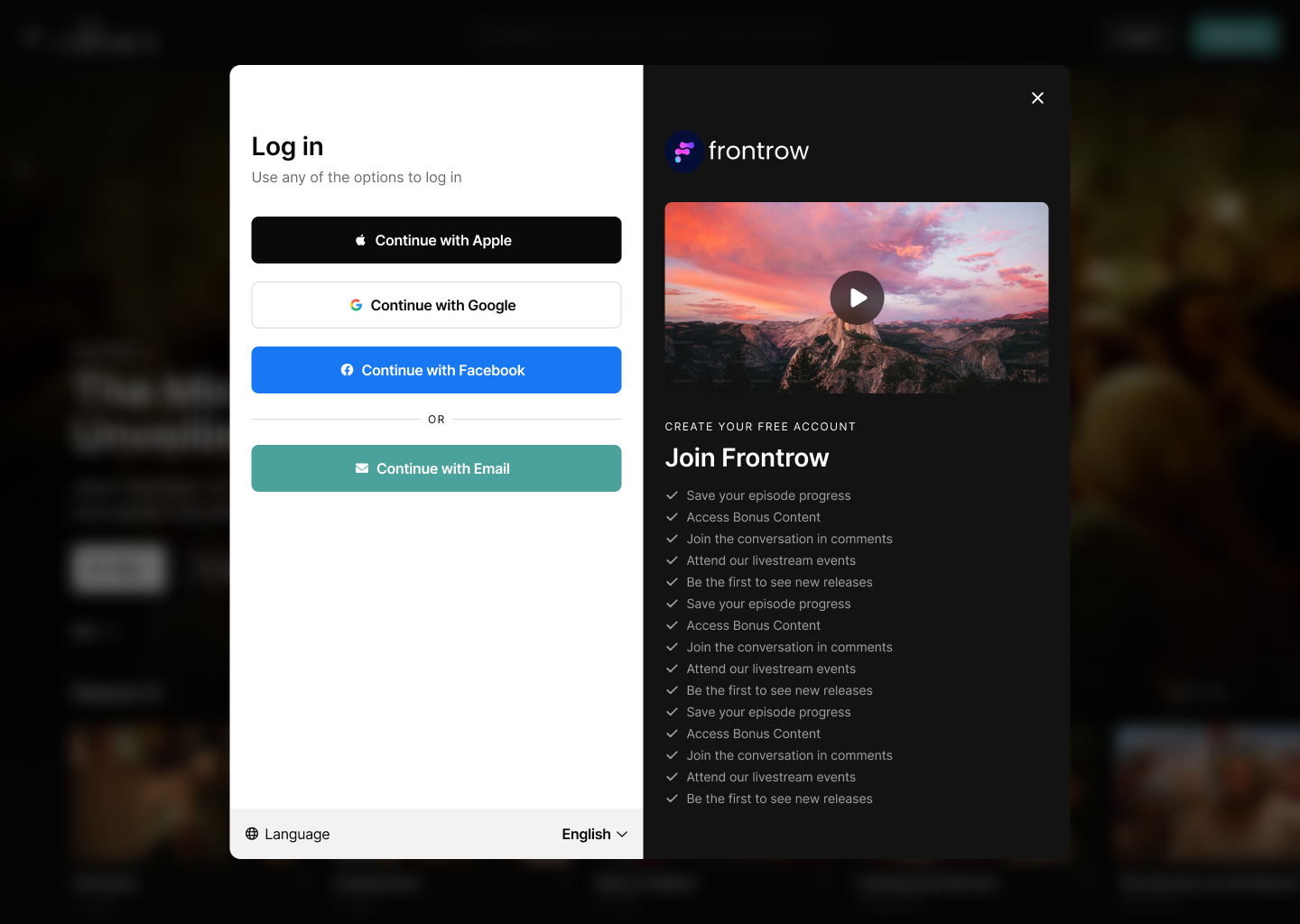
Users can now sign up and log in using their Apple, Google, or Facebook accounts across all supported platforms. This feature simplifies the onboarding process and enables seamless access across web, mobile, and TV devices.


What’s New?

A new welcome screen has been rolled out across all platforms. It offers a streamlined, visually improved interface with clearer options for signing in and creating an account. Social login buttons are prominently featured to make the process more accessible.

Supported Platforms

Web, Android, iOS, Google TV, Fire TV, Apple TV, Roku


Additional Improvements

  • Easier TV Login

    Scan the new QR code on your TV to log in through your mobile device. No more typing with the remote needed!


How to use?

Now across every platform when you signup or login you will have the option to use a social auth provider. Keep in mind that if you already have an account with an email associated with a social auth provider you will still need to login with your email and password and will be unable to create a duplicate social account.

Stay tuned for more updates and enjoy the new Social Sign On feature!
New Audiences Feature!

📢 FrontRow Changelog Update

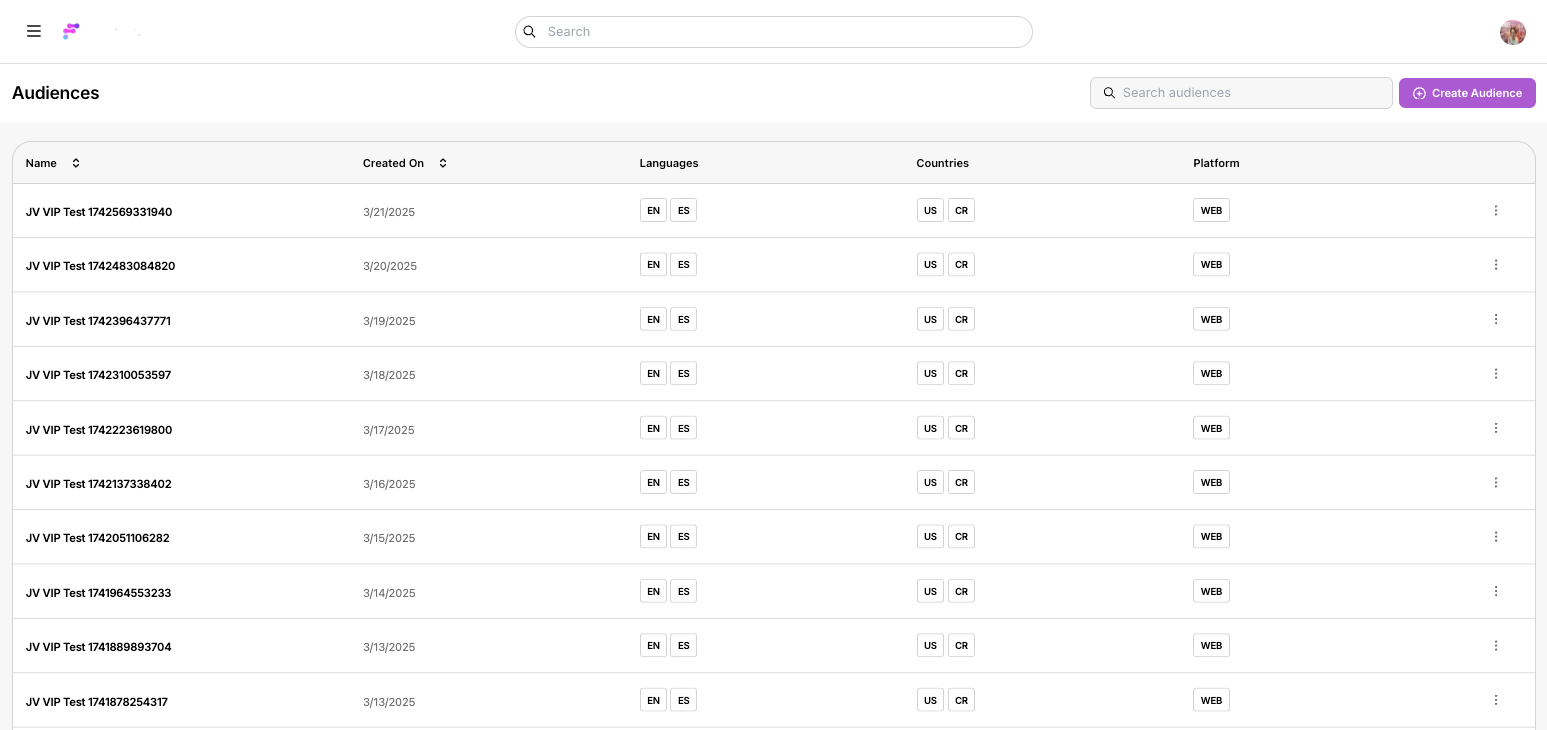
We’re thrilled to announce the launch of our new Audiences feature! Now, managing content access and visibility is more flexible and powerful than ever. With this update, administrators can effortlessly create and manage custom audiences to ensure your content reaches the right viewers.


What’s New?

🔧 Audience Management Made Simple
• Manage your audiences using a streamlined table interface—create, edit, and delete with ease.

🎯 Customizable Audience Creation
• Create new audiences by setting precise rules based on language, countries, and platform.
• Tailor your content access and visibility controls to match your unique requirements.

👀 “Preview Mode” Functionality
• Preview content exactly as a specific audience would see it, ensuring your gating rules work flawlessly.

⚡ Instant Publishing
• All changes take effect immediately when you hit “Save,” so you’re always in control of who sees what.


How to Get Started:

  1. Log In: Sign in to your FrontRow web app as an Owner.

  2. Navigate: Click on the sidebar menu and select Audiences.

  3. Customize: Explore the new table interface to create and modify audiences with customizable rules.

  4. Preview: Open any page in your app and select the “Preview Mode” option from the Layout Editor to see your content from your audience’s perspective.

Stay tuned for more exciting updates and enhancements. Enjoy Audiences! 🎉

New Channel Settings Feature!

📢 FrontRow Changelog Update

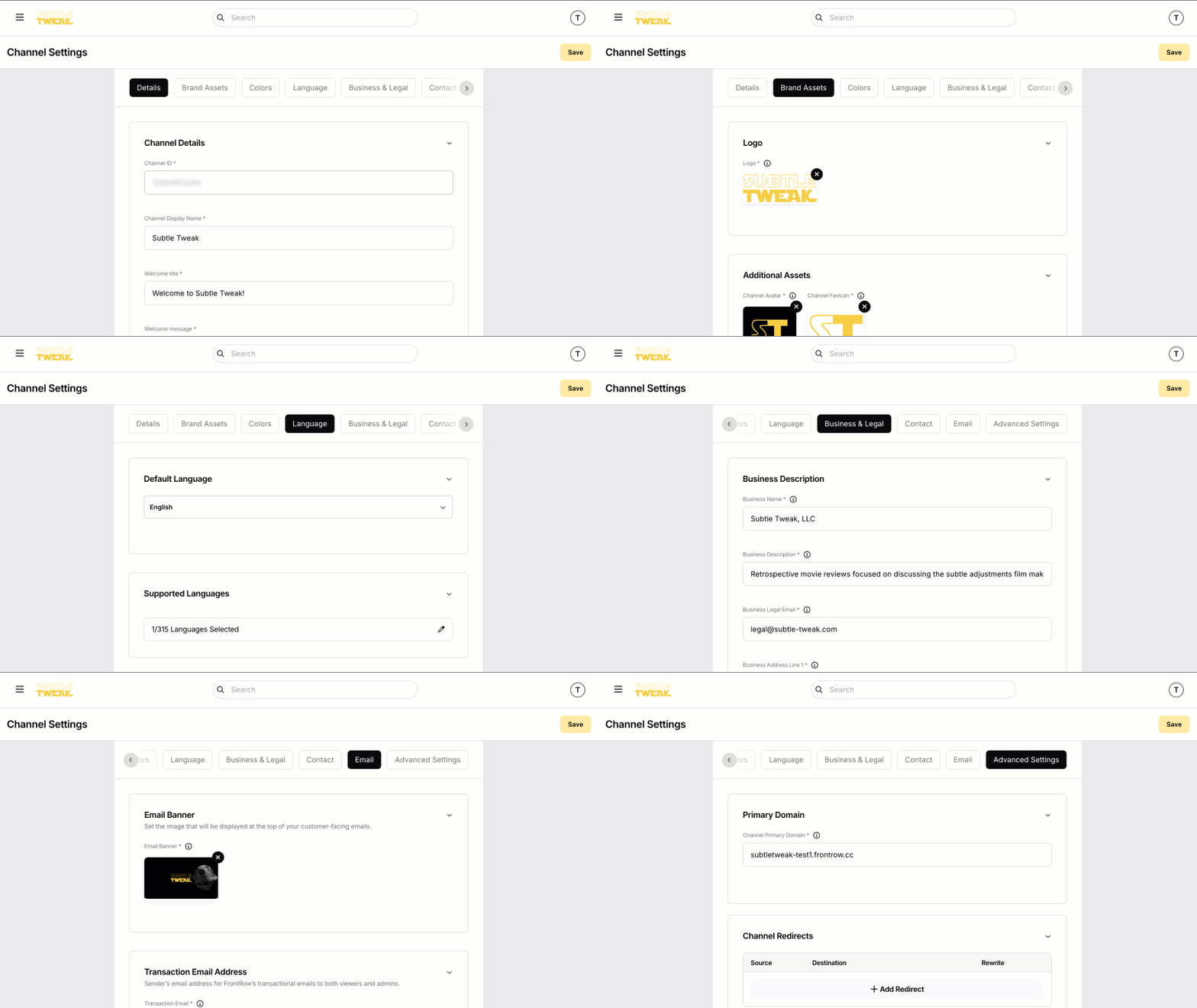
We’re excited to announce the launch of our New Channel Settings feature! Managing your FrontRow channel is now easier and more powerful than ever. Customize your channel’s appearance, brand identity, and business essentials all in one place.

What’s New?

🔧 Channel Management Made Simple

• Access all channel settings from one convenient menu.

🎨 Create Your Brand Identity

• Set your channel name, description, and an engaging trailer video.

• Upload your logo, avatar, and email banner.

• Customize brand colors to match your unique style.

💼 Business Essentials Setup

• Configure financial details like billing country and business info.

• Link terms of service, privacy policy, and contact details.

🌍 Reach a Global Audience

• Manage domains, redirects, and enable multi-language support.

🚀 Instant Publishing

• All changes go live the moment you hit “Save.”

How to Get Started:

1. Open the web app and click the hamburger menu icon.

2. Select Channel Settings from the side navigation.

3. Explore the tabs to set up your channel exactly how you want!

💡 Need Help?

Check out our Channel Customization Guide for a step-by-step walkthrough. Got feedback? We’d love to hear from you!

Stay tuned for more updates and improvements! 🎉

Earlier updates