New Audiences Feature!
📢 FrontRow Changelog Update
We’re thrilled to announce the launch of our new Audiences feature! Now, managing content access and visibility is more flexible and powerful than ever. With this update, administrators can effortlessly create and manage custom audiences to ensure your content reaches the right viewers.
What’s New?
🔧 Audience Management Made Simple
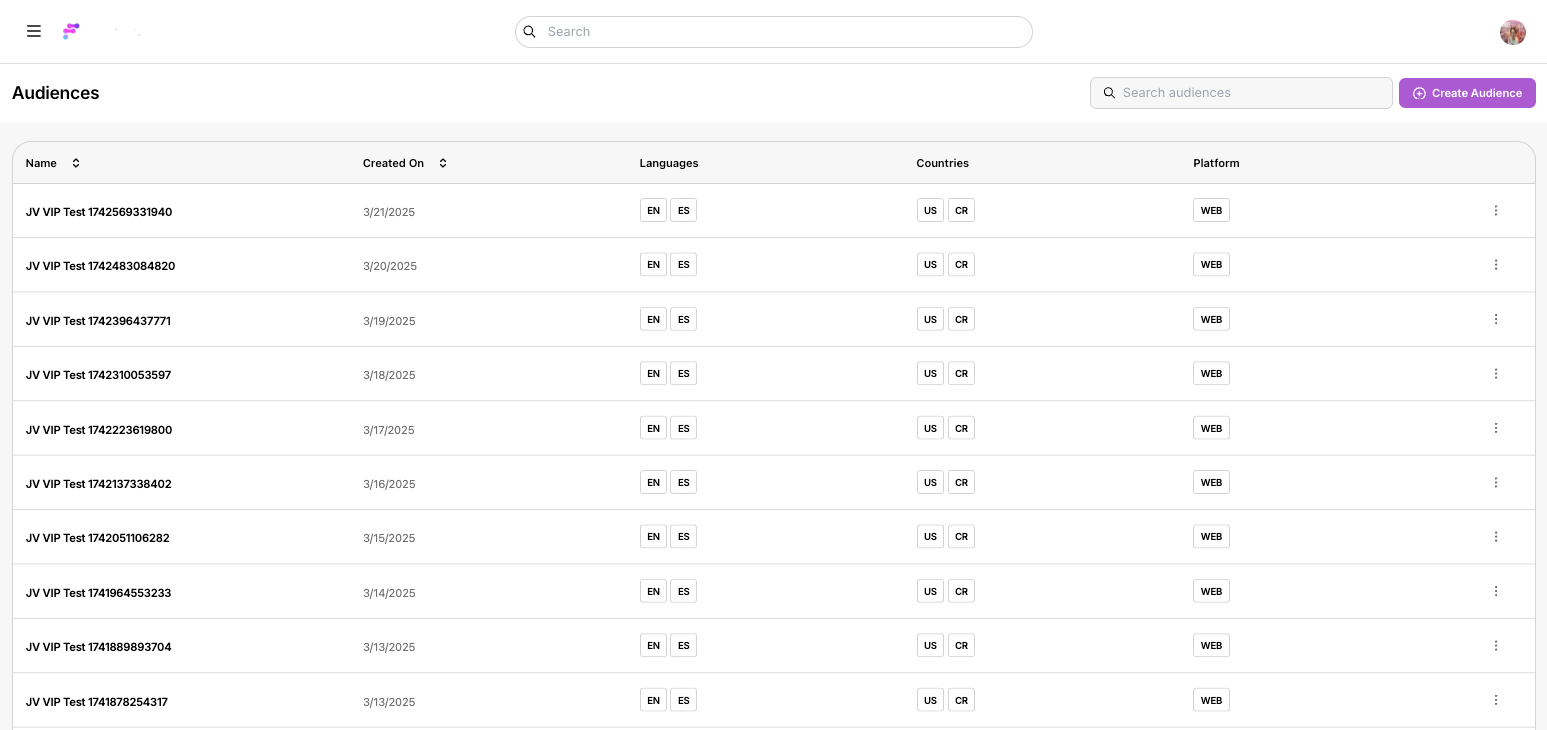
• Manage your audiences using a streamlined table interface—create, edit, and delete with ease.
🎯 Customizable Audience Creation
• Create new audiences by setting precise rules based on language, countries, and platform.
• Tailor your content access and visibility controls to match your unique requirements.
👀 “Preview Mode” Functionality
• Preview content exactly as a specific audience would see it, ensuring your gating rules work flawlessly.
⚡ Instant Publishing
• All changes take effect immediately when you hit “Save,” so you’re always in control of who sees what.
How to Get Started:
Log In: Sign in to your FrontRow web app as an Owner.
Navigate: Click on the sidebar menu and select Audiences.
Customize: Explore the new table interface to create and modify audiences with customizable rules.
Preview: Open any page in your app and select the “Preview Mode” option from the Layout Editor to see your content from your audience’s perspective.
Stay tuned for more exciting updates and enhancements. Enjoy Audiences! 🎉