March 31st, 2025

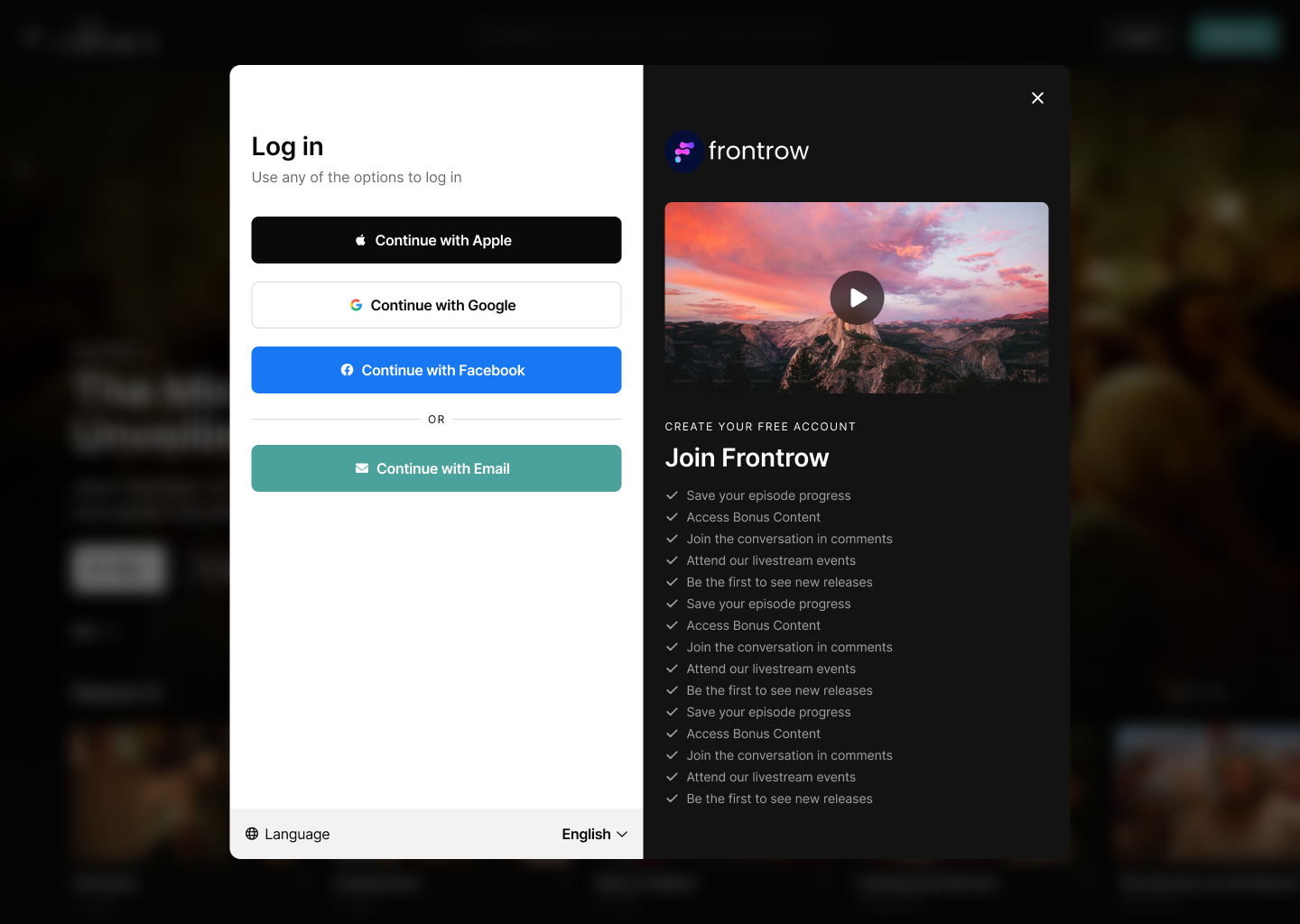
Users can now sign up and log in using their Apple, Google, or Facebook accounts across all supported platforms. This feature simplifies the onboarding process and enables seamless access across web, mobile, and TV devices.
A new welcome screen has been rolled out across all platforms. It offers a streamlined, visually improved interface with clearer options for signing in and creating an account. Social login buttons are prominently featured to make the process more accessible.
Supported Platforms
Web, Android, iOS, Google TV, Fire TV, Apple TV, Roku
Easier TV Login
Scan the new QR code on your TV to log in through your mobile device. No more typing with the remote needed!
Now across every platform when you signup or login you will have the option to use a social auth provider. Keep in mind that if you already have an account with an email associated with a social auth provider you will still need to login with your email and password and will be unable to create a duplicate social account.
Stay tuned for more updates and enjoy the new Social Sign On feature!
March 21st, 2025

📢 FrontRow Changelog Update
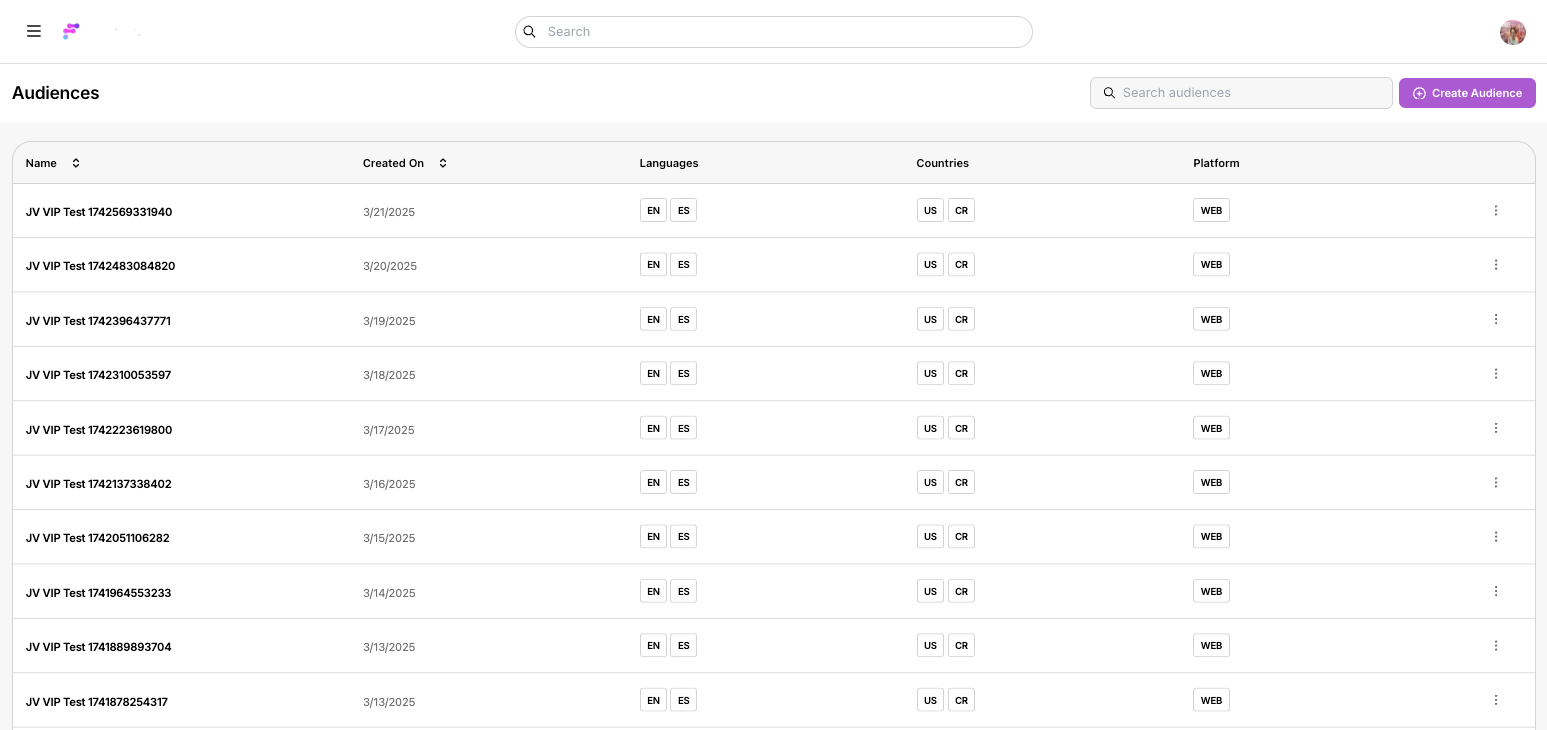
We’re thrilled to announce the launch of our new Audiences feature! Now, managing content access and visibility is more flexible and powerful than ever. With this update, administrators can effortlessly create and manage custom audiences to ensure your content reaches the right viewers.
🔧 Audience Management Made Simple
• Manage your audiences using a streamlined table interface—create, edit, and delete with ease.
🎯 Customizable Audience Creation
• Create new audiences by setting precise rules based on language, countries, and platform.
• Tailor your content access and visibility controls to match your unique requirements.
👀 “Preview Mode” Functionality
• Preview content exactly as a specific audience would see it, ensuring your gating rules work flawlessly.
⚡ Instant Publishing
• All changes take effect immediately when you hit “Save,” so you’re always in control of who sees what.
Log In: Sign in to your FrontRow web app as an Owner.
Navigate: Click on the sidebar menu and select Audiences.
Customize: Explore the new table interface to create and modify audiences with customizable rules.
Preview: Open any page in your app and select the “Preview Mode” option from the Layout Editor to see your content from your audience’s perspective.
Stay tuned for more exciting updates and enhancements. Enjoy Audiences! 🎉
December 16th, 2024

📢 FrontRow Changelog Update
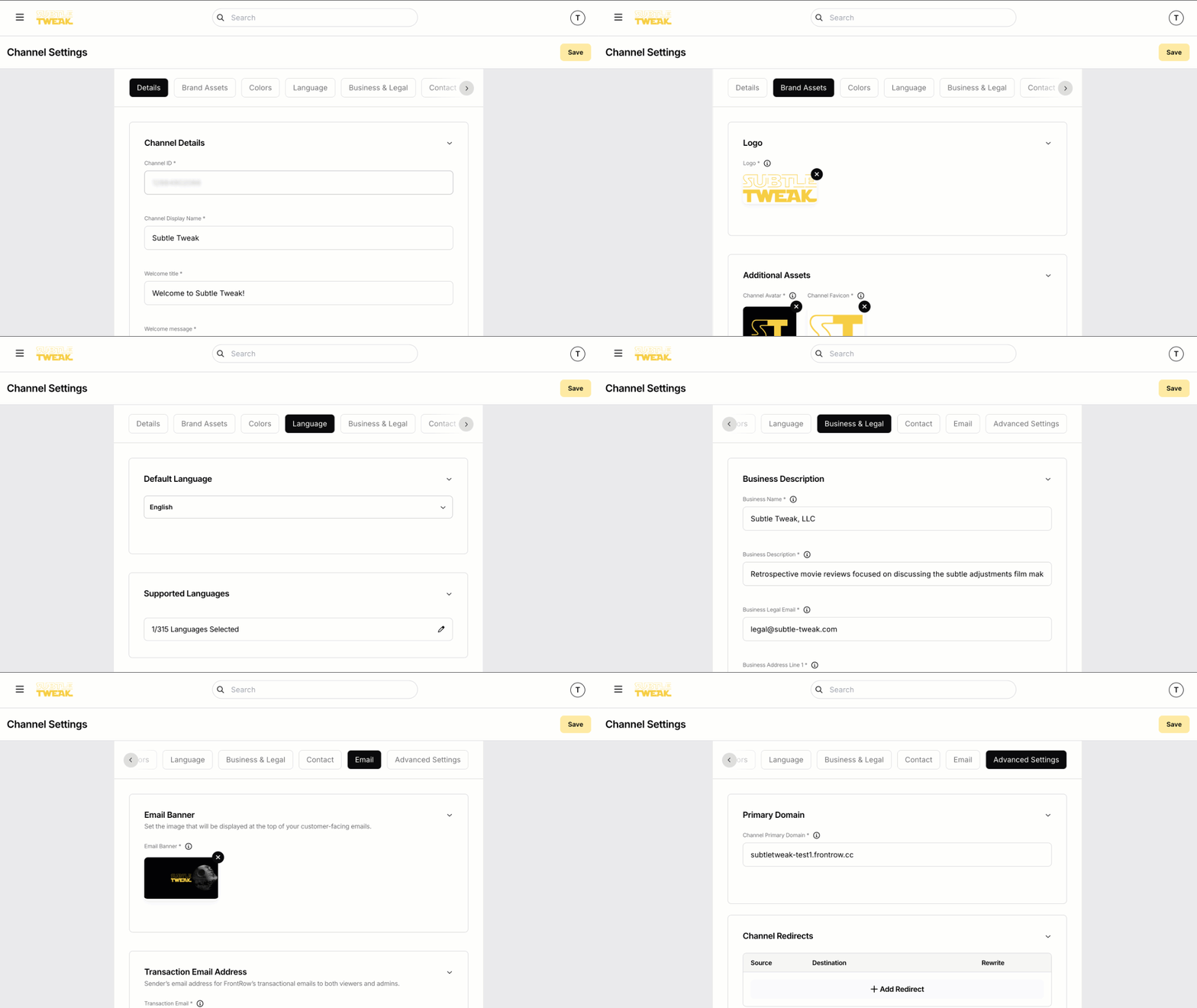
We’re excited to announce the launch of our New Channel Settings feature! Managing your FrontRow channel is now easier and more powerful than ever. Customize your channel’s appearance, brand identity, and business essentials all in one place.
What’s New?
🔧 Channel Management Made Simple
• Access all channel settings from one convenient menu.
🎨 Create Your Brand Identity
• Set your channel name, description, and an engaging trailer video.
• Upload your logo, avatar, and email banner.
• Customize brand colors to match your unique style.
💼 Business Essentials Setup
• Configure financial details like billing country and business info.
• Link terms of service, privacy policy, and contact details.
🌍 Reach a Global Audience
• Manage domains, redirects, and enable multi-language support.
🚀 Instant Publishing
• All changes go live the moment you hit “Save.”
How to Get Started:
1. Open the web app and click the hamburger menu icon.
2. Select Channel Settings from the side navigation.
3. Explore the tabs to set up your channel exactly how you want!
💡 Need Help?
Check out our Channel Customization Guide for a step-by-step walkthrough. Got feedback? We’d love to hear from you!
Stay tuned for more updates and improvements! 🎉
October 28th, 2024
New Features
Generic Form Builder: Aids in building management features like audience management and channel settings.
Form components include toggles, checkboxes, phone input, text input, radio groups, and form entries.
Fixes & Enhancements
Resolved tooltip inconsistencies.
Fixed content picker item management issues.
Adjusted incorrect corner radius.
Added automated tests for subtitles, audio tracks, and locked content.
Persisted audio and subtitle settings between sessions.
Improved subtitle and audio track upload indicators.
Paginated content with over 1,000 videos.
Updated password reset translations.
Resolved CMS default language issue.
Improved search functionality when selecting a language.
New Features
Content Playback Sessions & Active User Sessions: New analytic events.
Like V2 & Continue Watching V2: Updated versions.
Generic Thumbnail Uploading
CUBE Enhancements
App installs tracking, active user metrics, API keys, and access tokens.
Extensions (Internal Beta)
Ingress capability, instance page containers, and extension deployment options.
Google & Apple IAP Enhancements
Subscription trials, notifications, payment failure emails, and subscription management events.
Fixes & Enhancements
Updated username management.
Additional parameters for user sessions.
Improved pagination for containers.
Connected additional data sources to CUBE.
Enhanced livestream auto start/end capabilities.
Optimized surrogate key assignment and cache management.
Refined search filters and translation import processes.
New Features
Like/Unlike V2: Updated interaction features.
Extensions (Internal Beta): SDK navigation and full-page instances.
Shorts (Internal Beta): Vertical video features, deep links, comments, and controls.
IAP (Internal Beta): Improved UI for upgrades, billing screens, and account linking.
Fixes
Refined login and sign-up processes.
Improved onboarding video language selection.
Adjusted UI for delayed livestreams.
Fixed issues with comments, subscription renewal text, and video descriptions.
Updated Bugsnag for better error tracking.
Enhanced player controls for livestreams.
Added unit tests and composable upsell modals.
Updated support for iOS 18.
New Features
Content details(Internal Beta).
Fixes & Enhancements
Improved Fastlane integration.
Expanded localization and language support.
Added donation support, caption selection, and account deletion features.
Updated home highlights and login verification.